
Digital business card
Your business card, always on your phone.
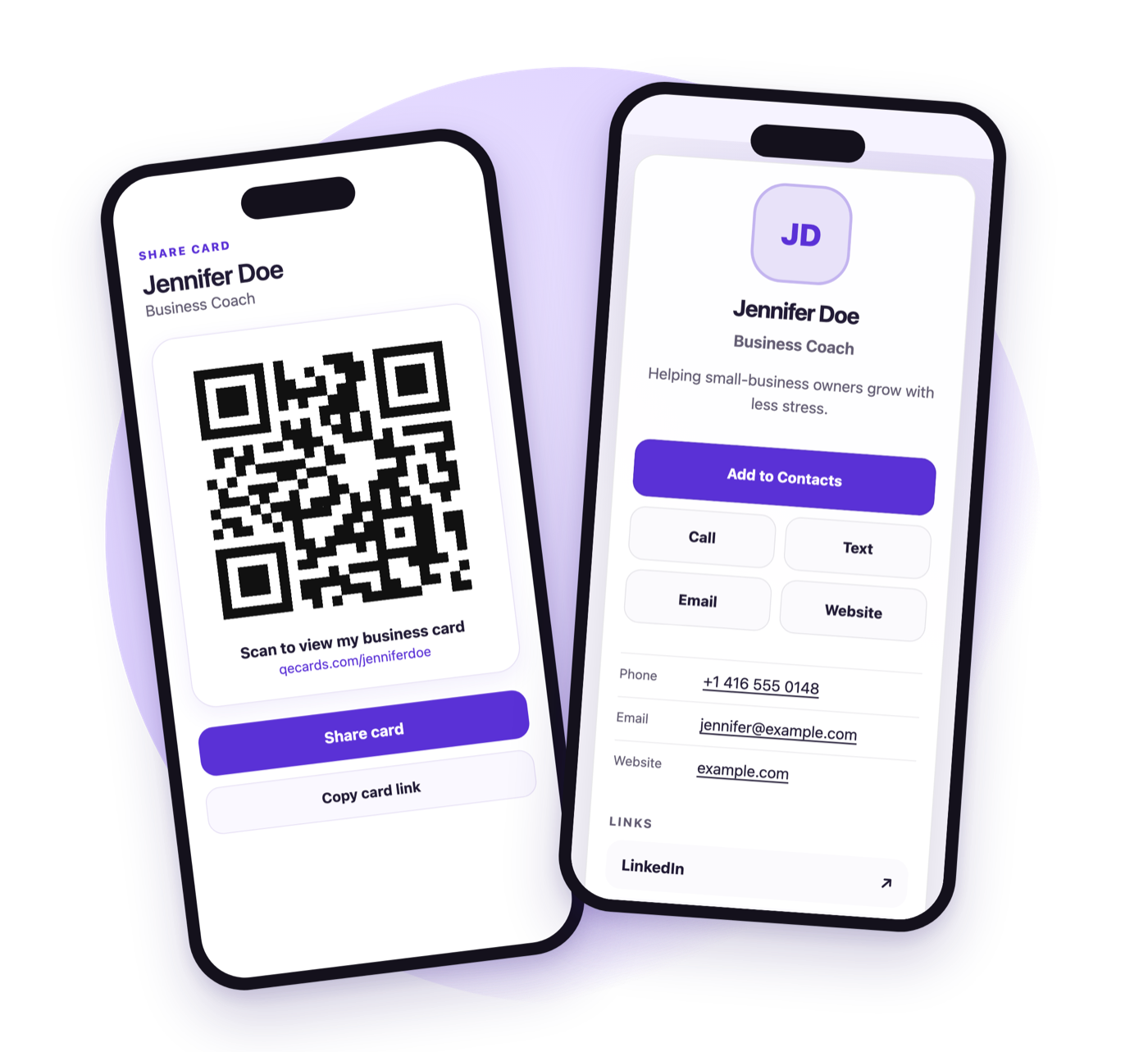
Show your QR code. They scan it, see your card, and save your contact. Nothing to install on their phone.
Pay once. Not $6 every month.
Free to start. Coming soon to iPhone and Android.
How it works
Create. Show. Saved.
The fastest way to hand someone your details when you meet in person.
1
Create your card
Add your name, role, contact details, photo, and links in the QE Cards app. It takes a few minutes.
2
Show your QR code
Open the app and your QR code is ready, even with no signal. Tap Share to send your link instead.
3
They save your contact
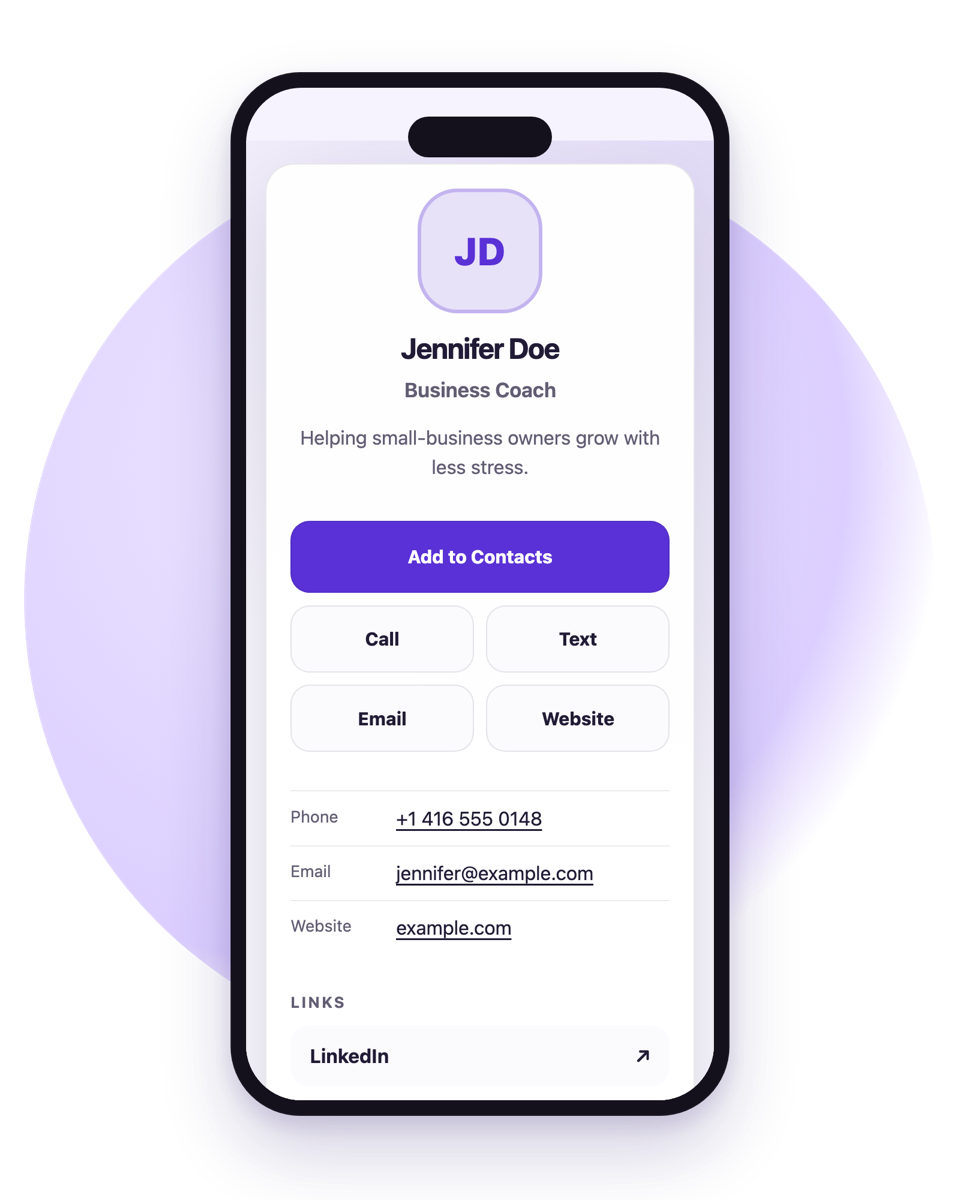
Your card opens in their phone’s browser. One tap on Add to Contacts saves your details.
For the people you meet
No app needed on their phone.
Your card is a fast web page that opens on any iPhone or Android phone, straight from the camera.
- Add to Contacts saves your name, number, email, website, and photo.
- Call, text, or email you with one tap.
- Looks right when shared in Messages, WhatsApp, or email, with your name and photo in the preview.
- You choose whether your phone, email, and address are shown.
Features
Everything a business card should do.
And nothing that gets in the way. QE Cards stays focused on sharing your contact details.
Works offline
Your QR code lives on your phone. Open it from the app, a home screen widget, or by asking Siri, with or without a connection.
Edit anytime, same QR
Changed jobs or numbers? Update your card and the same QR code and link show the new details. Printed codes keep working.
One-tap Add to Contacts
Recipients save a complete contact card, photo included, without retyping anything.
Apple Wallet and Google Wallet
Add your QR code to your phone’s wallet so it is always one swipe away.
Email signature link
Copy your card link into the signature you already use, so every email can share your card.
See what is working
A simple overview of card visits, QR scans, and contact downloads. No complicated dashboards.
No subscription
Pay once. Not $6 every month.
Most digital business card apps charge a monthly fee. QE Cards is free to start, and Pro is a single purchase you keep.
Pricing
Free to start. Pay once to make it yours.
The free card is complete, not a trial. Upgrade only if you want a personal link or more cards.
Free
$0
Everything you need to share a digital business card.
- One live card
- Permanent card link and QR code
- Add to Contacts for everyone you meet
- Apple Wallet and Google Wallet QR card
- Save your QR image and copy an email signature link
- Two additional links
- Standard QE Cards appearance
Lifetime Pro ONE-TIME
About US$6.99
Paid once in the app. Your store shows the exact price in your currency.
- Your own personal link, like qecards.com/yourname
- Multiple cards for different roles or businesses
- Up to 12 links per card
- Wallet card in your card’s accent color
- Restore your purchase on a new phone
- No recurring fee, ever
Purchases happen in the iOS or Android app. Prices and taxes vary by country.
FAQ
Questions, answered.
Does the person I meet need the QE Cards app?
No. They scan your QR code with their phone camera and your card opens in their browser. They can save your contact from there.
What happens when my details change?
Edit your card in the app. Your QR code and link stay the same, so anyone who scans or opens them sees your latest details, including codes you have already printed.
Is QE Cards a subscription?
No. The free card has no time limit. Lifetime Pro is a single in-app purchase of about US$6.99, and the App Store or Google Play shows the exact price in your currency.
What is a personal link?
With Pro you can choose a link such as qecards.com/yourname instead of a generated one. Your original QR code keeps working and opens the same card.
Does it work without an internet connection?
Yes, for you. Your QR code is stored on your phone, so you can show it anywhere. The person scanning needs a connection to open your card.
Which phones are supported?
The QE Cards app is for iPhone and Android. Your card page opens in any modern phone or computer browser.
Can I choose what is public?
Yes. You decide whether your phone number, email, and address appear on your card.
How do I delete my account?
Go to Settings in the app and choose Delete account. Your cards, photos, and links are permanently removed.
Your next introduction, ready in minutes.
Make your free card, show your QR code, and let people save your details in seconds.
Coming soon to the App Store and Google Play.